
Matching Games for Toddlers
Three free matching games that open straight in the browser, listed in the order toddlers actually learn to match: same to same, picture to shadow, then word to picture. One tap per answer, no dragging, no timer, no way to lose.
Pick the game for the stage your child is at
Start one stage easier than you think. A quick win on the first go is what gets a toddler to play a second round.

Shadow Matching
A black shadow on one side, real animal photos on the other. Set it to two choices and it is the easiest matching game on the site; four choices with similar animals is a proper puzzle.
Play Shadow Matching →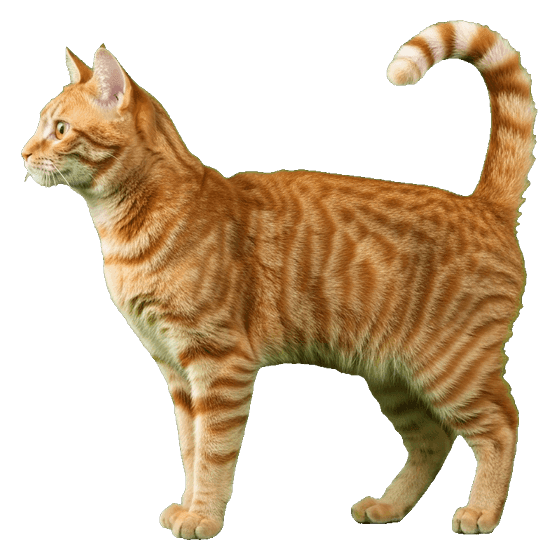 cat
cat
Match Words to Pictures
A photo appears and the child taps the word that names it, or the other way round. Not for the youngest toddlers, but the natural next step once picture matching is easy.
Play Word Matching →
Shadow Matching Worksheets
The same idea printed, three pairs for the youngest up to six. Draw a line from each picture to its shadow. Free PDFs.
See the worksheets →The three stages of matching, in order
"Matching" covers three different jobs, and toddlers learn them in a fairly fixed order. Knowing which one your child is on tells you which game to open and, more usefully, which one to close.
Same to same
Two identical pictures or objects. The child puts the red cup with the red cup. This is the first thing most children can do, often before they turn two, and it needs no language at all.
Shadow Matching at two choices, or a pair of socks from the laundry.
Picture to shadow
The picture and the answer are no longer identical. A photo of a dog and a black outline of a dog share only a shape. The child has to ignore colour and detail and look at the outline, which is the beginning of visual discrimination.
Shadow Matching at three or four choices.
Word to picture
Nothing about the word dog looks like a dog. This is matching by meaning, and it is the bridge from matching to reading. Some three-year-olds start here; many children are four or five.
Match Words to Pictures.
There is a stage before all of these, which is simply looking at the same thing you are looking at, and for a toddler who is not matching yet that is where to spend the time: point at the picture, name it, point at the other, name it. The games are for children who can already share a look.
What a matching game is actually teaching
Three things, and the third is the one most parents underestimate.
- Visual discrimination. Noticing how two things differ. A toddler who can pick the giraffe out of three shadows is doing the same mental work they will use at five to tell a b from a d. This is the reason matching keeps showing up in nursery and preschool, and the visual perceptual skills page goes into the rest of that family.
- Vocabulary. Only if somebody says the words. A matching game played in silence teaches shapes; the same game with an adult naming each animal teaches twenty animal names in a fortnight. The games on this site say the name out loud on every correct answer for exactly that reason, and the word on screen can be turned on or off.
- Holding one thing in mind while scanning others. The child has to keep the shadow in their head while their eyes travel across the choices. That is working memory and attention, in the smallest possible dose, and it is why a toddler who has played three rounds is usually done: it is real effort.
Settings that matter for a toddler
The games were built for young children and for children with disabilities, and the settings that make them work for one group are mostly the same ones that work for the other.
| Setting | For a toddler, set it to | Why |
|---|---|---|
| Choices | 2 | Two obviously different animals is a match the child can win on the first go. Go to three when two is boring, and not before. |
| Words | Off, then on | A pre-reader with the words on will guess from the word length instead of looking at the shape. Turn them on once matching is easy, to start pairing word and picture. |
| Voice | On | Maggie names the animal on every correct answer. This is where the vocabulary comes from. |
| Bigger | On, on a phone | Toddler fingers land wide of the mark. Bigger targets mean fewer accidental taps on the wrong card. |
| Help | Use it freely | The help button makes the right answer glow and says its name. For a toddler that is not cheating, it is how they learn what "match" means. |
Three rules for the grown-up
- Sit with them. A toddler on their own with a tablet learns to tap. A toddler with an adult saying "look, long neck, which one has the long neck?" learns to match. The game is a prop for that conversation, not a replacement for it.
- Stop early. Two or three rounds is a session at this age. The end screen with all the animals is there to be a natural place to stop, not a reason to keep going.
- Move it off the screen. Whatever they matched on the tablet, find it in the real world: socks, shoes, cups, the pictures in a book. The printable worksheets are the middle step, same animals, on paper, with a crayon.
Why there are no drag-and-drop games here. Most matching apps ask the child to drag one picture onto another. Dragging needs a press, a hold, a steady move and a release, and toddlers routinely fail at the hold or the release and then get told they were wrong. They were not wrong; their thumb slipped. Every game on this site is a single tap, so the only thing being tested is whether the child spotted the match.
What to avoid in a toddler matching app
The free app stores are full of matching games and most of them get four things wrong for this age.
- Timers and scores. A countdown teaches a two-year-old nothing except that the game makes a noise when it ends. Matching is not faster-is-better.
- Losing. A game that ends on a wrong answer ends at the exact moment the child needed to try again. In these games a wrong tap is named ("that's the cow"), set aside, and the round carries on until it ends well.
- Ads and pop-ups. Any tappable thing that is not part of the game will be tapped. There is nothing to tap here except the game.
- Cartoon clutter. A cartoon lion in a hat, waving, on a busy background, is a lot of things to look at. The photos here are real animals on white, so the only thing to compare is the animal.
Is my toddler behind if they cannot match yet?
Almost certainly not. The ages on this page are rough, the range is wide, and matching is a skill that appears suddenly rather than gradually: a child who could not do it in March does it in April. What is worth doing is checking the stage before, joint attention, and spending time there. If a child of three shows no interest in looking at what you are pointing at, that is a better thing to mention to a health visitor or paediatrician than "cannot match", and the games can wait.
There is deliberately no age printed on the games themselves. A five-year-old who is working on matching does not need to be told it is a game for two-year-olds. The page on games for children with Down syndrome explains why.
Common questions
What age do toddlers start matching?
Most children begin matching identical objects somewhere between 18 months and two and a half, pictures a little later, and a picture to its shadow around three. The order is much more reliable than the ages, and plenty of children do it earlier or later without anything being wrong.
Are matching games good for toddlers?
Yes, in short sessions. Matching is the first form of visual discrimination, the skill underneath recognising letters and shapes later on. It also builds vocabulary if the adult names what is being matched, and attention, because the child has to hold one picture in mind while looking at the others.
Do these games need a download or an account?
No. They open in the browser on a phone, tablet or computer, with nothing to install and nothing to sign up for, and they keep working offline once loaded.
Why is there no drag and drop?
Dragging needs a steady press, hold, move and release that most two-year-olds cannot do yet, and that many children with motor difficulties never find easy. Tapping is the whole interaction here, so the game measures matching and not fine motor control.
Can I use these with a child who has a disability?
That is who they were built for first. No dragging, no timer, no losing, spoken instructions, keyboard and switch access, and a bigger mode. The accessibility page lists all of it.