Hand-Eye Coordination Games
Hand-eyeAn animal pops up somewhere on the screen and Maggie says which one. The child taps it, stars burst, the next one appears. Level 1 is big and still. Level 2 is smaller and drifts. Level 3 is small and on the move. Ten taps make a round, and missing does nothing at all.



What hand-eye coordination is
Seeing where something is and getting a hand there. That is the whole skill, and almost everything a child does with their hands depends on it: bringing a spoon to the mouth, putting a peg in a hole, catching a ball, tracing a letter, doing up a button. The eyes find the target and steer the hand, and the hand's arrival tells the eyes how close the guess was, so the next reach is better. It is a loop, and the loop only tightens with practice.
On a screen the skill has a very clean form: something appears, a finger goes to it. There is no object to grip, nothing to drop, and the target can be exactly as big and as slow as a particular child needs today. That is what this game is. It is not a substitute for real reaching and catching, and the section below says how to take it off the screen.
The three levels
| Level | The target | What it asks of the child | Who it suits |
|---|---|---|---|
| Level 1 | Big and still. It appears with a little bounce and waits. | Look, then aim one finger and land on it. Nothing else. | The first go. Children just learning to point at a screen, and any child with a shaky or imprecise reach. |
| Level 2 | Smaller, and it drifts slowly across the screen. | Aim at something that is moving, which means the eyes have to lead the hand a little. | Children who land level 1 every time and are starting to look bored. |
| Level 3 | Small, quicker, and it bounces off the edges. | Track, predict and commit. The tap has to go where the animal will be, not where it was. | Most children of school age, and anyone working on speed rather than accuracy. |
Bigger targets in the settings makes every level half as big again, so a child can have the moving target of level 3 at a size their hand can manage. Show me makes the current animal pulse until it is tapped. Ten taps make a round, shown by a bar that fills, and then Maggie celebrates and a new round starts.
Why missing does nothing
Most hand-eye games score misses, and the score is the first thing a child sees. Here a tap on empty space makes a faint ring where the finger landed and nothing else. That ring is on purpose: it tells the child the screen felt the tap, and it shows them, without a word, how far from the animal they were. A child who is missing by an inch every time is learning something from that ring. A child who is being told "miss, miss, miss" is learning to stop.
The same principle runs through every game on this site: a wrong move is information, not a penalty. The errorless learning page explains where it comes from.
Taking it off the screen
- Same game, real objects. Put a soft toy on the table, say its name, and the child touches it. Then two toys. Then move the toy slowly while they reach. This is the three levels with a hand that has to grip.
- Bubbles. The best hand-eye toy ever made costs a pound. Slow, big, unpredictable, and nobody has ever been upset about missing a bubble.
- Balloon, not ball. A balloon falls slowly enough to be caught by a child who cannot yet catch a ball, and it does not hurt when it hits a face.
- Posting and threading. Coins into a money box, pasta onto a shoelace, pegs onto a bowl rim. Each one is a small, still target and a hand that has to arrive at exactly the right angle.
- Drawing between the lines. Wide roads on paper for a car or a crayon to drive along. The visual tracking page covers the eye half of this on its own.
If the child cannot yet aim at all, start with the cause and effect games, where a press anywhere works, and then their second stage, which is a single big target that does not move. This page picks up where that leaves off.
Accessibility notes
- Pointing devices. Touchscreen, mouse, trackball, a joystick that drives a pointer, and eye-gaze systems set to dwell-click all work, because the animal is a real button.
- Not for a single switch. Aiming at a place on the screen is the skill, so a switch that sends one key cannot play it. That is a limitation of the task, not an oversight, and the cause and effect games are the switch-accessible page.
- Target size. Level 1 targets are never smaller than about a third of the play area's shorter side, and the bigger-targets setting enlarges every level. In full screen on a tablet, level 1 is roughly the size of a hand.
- Spoken. Maggie names the animal and praises each tap out loud. Voice can be turned off; sound effects are separate.
- Reduced motion. If the device asks for less motion, levels 2 and 3 move more slowly, the stars do not fly, and the animal fades in instead of bouncing.
- No timer, no countdown, no penalty. The animal waits, in level 1 forever, in levels 2 and 3 until tapped.
- Nothing is recorded. Only the level and the settings are remembered, on your own device.
Common questions
What is hand-eye coordination?
Using what the eyes see to guide what the hands do: seeing where something is and getting a hand there accurately. It underlies reaching, feeding, dressing, drawing, catching and writing. Tapping a target on a screen is the simplest version of it, and the one a child can practise most safely.
What age is this game for?
The level matters more than the age. Level 1, a big animal that stays still, suits a child who is just learning to aim a finger, which can be a toddler or a much older child with a motor or learning disability. Level 3, small and moving, is a real challenge for most primary-age children. Nothing in the game says an age out loud.
Does it work with a switch or eye gaze?
Not with a single switch, because aiming at a place on the screen is the whole point of the game. It works with a touchscreen, a mouse, a trackball, a joystick that moves a pointer, and with eye-gaze systems set to dwell-click, since the target is a real button. For switch users the cause and effect games are the right page.
Is there a timer or a score?
There is a round of ten taps with a bar that fills up, and that is all. Nothing counts down, missing does nothing, and the target waits until it is tapped. In level 3 it keeps moving but never leaves the screen.
Why animals and not shapes?
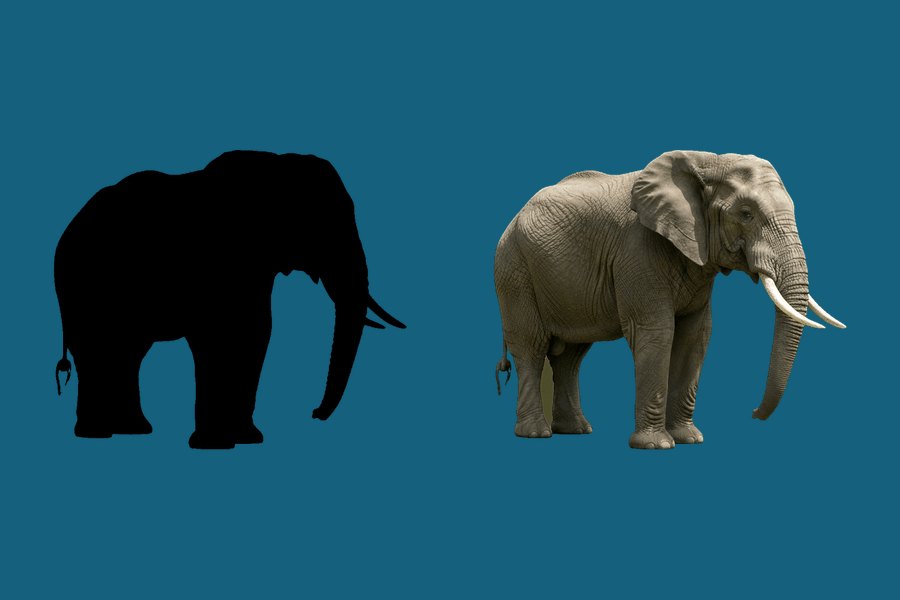
Because Maggie can say which one it is. Hearing "tap the frog" and then finding the frog adds a small amount of listening and naming to the same tap, at no extra cost to the child. Every animal is a real photograph, the same ones used in the shadow matching game.
Related
Visual Tracking Games
Follow the ball with a finger, catch it when it stops, or just watch. The eye half of this skill.
Play visual tracking →
Cause and Effect Games
Press anything and something happens. The page before this one, and the switch-accessible one.
Play cause and effect →